
OnlyFans requires careful budgeting like any recurring subscription service. Creating a realistic monthly spending plan starts with understanding exactly where your money goes and building guardrails that prevent overspending without micromanaging every transaction. The BestOnlyFans methodology treats fan platform spending as a legitimate budget category with concrete frameworks for tracking costs and making informed trade-offs.
Whether you follow one creator or maintain a portfolio of subscriptions, the same principles apply: know your renewal dates, categorize your spending types, and set hard limits before you browse. This guide emphasizes transparency in pricing structures so subscribers can allocate funds deliberately rather than reacting to prompts.

Mapping Your Current OnlyFans Spending
Begin your budget audit by pulling three months of bank statements and tagging every OnlyFans transaction. Most users underestimate total spending because charges appear under descriptors like “OF” or “Fenix Int” rather than clear category labels. Separate subscriptions from one-time purchases to see patterns in recurring versus discretionary outflows.
Look beyond the monthly base price. Many subscribers forget about mid-month PPV purchases or tip streaks that push actual spending well above the headline subscription cost. The goal is complete visibility before building forward-looking limits.
- Five spending categories to identify in bank statements: base subscription renewals, promotional first-month charges, PPV message unlocks, direct tips, and paid chat message fees.
Once categorized, calculate your true monthly average including all transaction types. This figure becomes your baseline reality check against any future budget target.

Understanding the Full Price Range on OnlyFans
OnlyFans enforces strict pricing floors and ceilings that shape every subscriber’s budget constraints. The platform minimum for paid subscriptions is $4.99, with creators unable to set base prices below this threshold. At the upper end, subscriptions cap at $49.99 regardless of content tier or creator status.
Between these poles, most subscriptions cluster in the $5-$10 range where competition keeps prices accessible. Premium creators above $15 typically justify higher costs through exclusive content volumes, direct engagement guarantees, or specialized niches with limited supply.
| Price Tier | Typical Content Pattern | Budget Impact |
|---|---|---|
| $4.99 minimum | Entry-level access with feed content, occasional PPV offers | Predictable base cost, variable add-ons |
| $5-$10 typical | Regular posting, some unlocked content, standard engagement | Moderate commitment with controlled extras |
| $15-$49.99 premium | High-volume or exclusive material, responsive messaging | Higher fixed cost, potentially lower PPV need |
Promotional pricing complicates budgeting math. First-month discounts at $3 or similar rates are permitted, but only as introductory offers. Your budget must account for the automatic price jump to standard rates in month two unless you manually cancel before renewal.
Free pages operate at $0 base subscription, earning creators entirely through PPV messages and tips. These pages can be budget traps for subscribers who assume “free” means zero cost, then accumulate $15-30 monthly in unlock fees without tracking. A paid $9.99 subscription with minimal PPV often costs less than a “free” page with aggressive paid messaging.
Where Hidden Costs Actually Hide
Base subscriptions represent only the visible portion of OnlyFans spending. The platform’s revenue model depends heavily on transactional extras that can outrun fixed monthly commitments if unchecked. Understanding these variable costs prevents budget surprises.
PPV messages unlock individual posts or galleries for fees reaching $50 per item. These appear as separate charges distinct from your recurring subscription, making them easy to lose track of across multiple creators. Paid chat operates on per-message pricing, commonly $3-$5 each.
- PPV content unlocks for specific photos, videos, or audio clips beyond the subscription feed
- Per-message chat fees accumulating during real-time conversations with creators
- Custom request tips paid upfront for personalized content delivered later
- Impulse tipping during live interactions or in response to direct messages
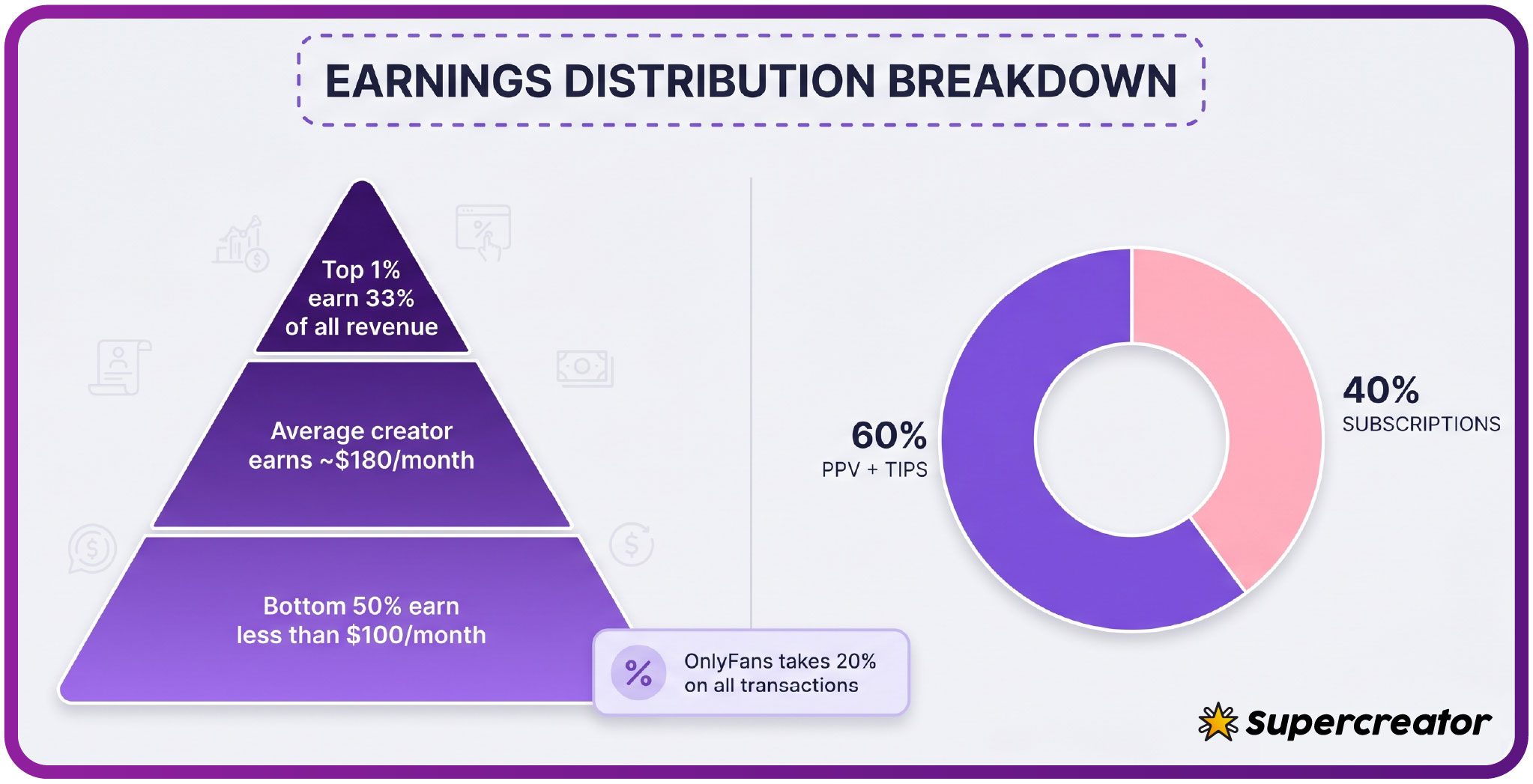
Tips function as voluntary gratuities but carry their own ceiling at $100 per transaction. While not mandatory, social pressure and reciprocity norms drive significant spending in this category. The platform retains 20% of all revenue, with creators receiving 80%.
Consider a concrete example: a subscriber maintains three $9.99 subscriptions ($29.97 monthly base) and engages moderately with PPV content. If they unlock five $15 PPV messages and exchange ten paid chat messages at $4 average, their true monthly spend reaches $29.97 + $75 + $40 = $144.97—nearly five times the visible subscription cost. Without category tracking, this subscriber likely reports spending “about thirty dollars” when asked.

Building Your Tiered Spending Framework
Effective budgeting assigns purpose to every dollar before spending occurs. A tiered framework separates fixed obligations from discretionary pools, ensuring subscriptions never compromise other financial priorities while preserving room for valued extras.
Start with your subscription cap—the sum of all base monthly charges you are willing to maintain simultaneously. This fixed layer provides predictable content access. Below this ceiling, allocate separate pools for PPV, tips, and paid chat.
- Five allocation principles: fixed subscription cap, PPV reserve pool, tip ceiling per creator, monthly total hard limit, and quarterly review trigger amount.
The monthly total hard limit serves as your absolute backstop, including all categories combined. When approaching this threshold, pause all new spending regardless of individual category balances.
| Budget Level | Monthly Allocation | Typical Mix |
|---|---|---|
| Conservative | $25-40 | 2-3 low-tier subscriptions, minimal PPV, rare tips |
| Moderate | $75-150 | 3-6 mixed-tier subscriptions, regular PPV, occasional tips |
| Flexible | $200+ | Multiple subscriptions across tiers, active PPV and chat engagement |
BestOnlyFans research developed this tiered approach through analysis of subscriber spending patterns across price segments. The methodology emphasizes hard limits over aspirational targets.

Tracking Renewals and Price Change Triggers
OnlyFans lacks automated spending summaries or integrated budget tools, so subscribers must build their own tracking systems. The most critical dates to monitor are renewal dates, when charges hit your payment method regardless of current engagement levels.
Price increases trigger automatic subscription cancellations. When creators raise their base rate, existing subscribers lose auto-renew status and must manually resubscribe at the new price. This creates a natural decision point rather than silent budget erosion.
- Three calendar events to set for each subscription: original signup date, renewal date, and price change notification check date.
Calendar these dates with phone alerts at least 48 hours before renewal. This buffer lets you cancel unwanted subscriptions before charges process. The BestOnlyFans tracking methodology emphasizes proactive calendar management over reactive bank statement review.
Step-by-step renewal tracking: export subscription data monthly to a spreadsheet with columns for creator name, current price, renewal date, and last engagement date. Sort by renewal date to visualize your monthly charge distribution. If five subscriptions renew on the same day, consider staggering cancellations and resubscriptions to smooth cash flow.

Tools and Habits for Ongoing Budget Review
Manual tracking remains necessary because OnlyFans provides no native spending analytics. Subscribers comfortable with spreadsheets can log every transaction with date, creator, category, and running monthly total. Those preferring simpler methods can use note apps with monthly spending tallies.
For lighter approaches, set bank alerts at spending thresholds—notify when monthly OnlyFans charges hit 50%, 75%, and 90% of your hard limit. The $0.10 verification hold that appears when adding payment methods refunds automatically within days.
Set a 24-hour cooling-off period for any PPV purchase or tip above your single-transaction average. This pause interrupts impulse spending without blocking genuine engagement opportunities.
Weekly five-minute reviews prevent month-end surprises. Scan pending renewals visible in your account settings, check for unread PPV offers, and confirm your calendar alerts remain accurate. Monthly deeper dives compare actual spending against your tiered framework allocations.
Those seeking broader market context can reference top ranked only fans comparisons to evaluate whether their subscription portfolio delivers proportional value against available alternatives.
When to Pause, Cancel, or Reallocate Funds
Subscription auditing prevents budget drift from gradual engagement decline. A creator you actively followed six months ago may now post irregularly or shift content direction away from your interests. Regular evaluation keeps your spending aligned with actual value received.
Cancel when posting frequency drops below your engagement threshold, when price increases outpace perceived quality improvements, or when you find yourself scrolling past most updates. Reallocate freed funds toward creators you actively engage with or toward your PPV reserve pool.
- Five evaluation questions: has posting frequency dropped, has price increased without added value, am I engaging with all subscribed pages, does PPV spending exceed base cost, and have I found better-value alternatives?
The ranking framework recommends quarterly portfolio reviews where you rank subscriptions by actual engagement time and satisfaction, cutting the bottom third regardless of absolute cost. This maintains portfolio quality without emotional attachment to underperforming subscriptions.
Pausing differs from canceling—some subscribers maintain accounts at minimum tiers during creator hiatuses, while others prefer hard stops. Neither approach is superior; consistency with your own decision criteria matters more. Document your personal rules to apply them evenly across all subscriptions.

FAQ
Does OnlyFans send spending summaries or do I need to track manually?
OnlyFans does not provide spending summaries, monthly statements, or category breakdowns. You must track all transactions manually through bank statements or personal logging systems.
What happens to my budget if a creator raises their subscription price?
Price increases automatically disable auto-renew for existing subscribers. Your current access continues until the paid period ends, but renewal requires manual confirmation at the new price.
Can I set spending limits directly on the OnlyFans platform?
No. OnlyFans offers no built-in spending caps, category limits, or budget alerts. All spending control must happen through external tools.
How do promotional first-month prices affect long-term budget planning?
Promotional rates reset to standard pricing after the first billing period. Use the full standard price as your baseline figure and treat discounts as temporary windfalls.
